
This article is part of our Performance, Security & Maintenance pillar, where we show businesses how to keep WordPress websites fast, secure, and reliable as they grow.
Every WordPress website relies on the Domain Name System (DNS) to function correctly. DNS acts like the internet’s address book, translating easy-to-remember domain names into IP addresses that computers use to locate your website. Without proper DNS, your WordPress site may fail to load, emails might not reach recipients, and visitors could encounter errors such as “DNS server isn’t responding.” Understanding how DNS works and learning to configure your WordPress DNS settings is crucial for maintaining a reliable and accessible website. This ultimate guide to WordPress DNS configuration for beginners will show you how to configure your WordPress, manage your DNS, and ensure your site stays fast and secure.
Understanding How DNS Works for WordPress
When someone types your WordPress domain into a browser, the request is sent to a DNS resolver. The resolver queries your domain’s DNS records to determine which server to direct the request to. This process, called DNS resolution, usually happens in seconds but may involve several DNS servers worldwide. Your site’s DNS settings control how your domain points to your hosting server, making it essential to keep them accurate.
Browsers and operating systems often store previously looked-up DNS information in a local cache. Flushing or clearing the DNS ensures that your computer retrieves the most recent information from the DNS server, reflecting any updates you have made. Using Google’s public DNS servers can also help verify that your updates are correctly applied across the web.
Where Your Domain DNS Is Managed
Managing your domain DNS begins with understanding where your DNS records are controlled. Your DNS may be managed by your domain registrar, your WordPress hosting provider, or a third-party service. Knowing who handles your DNS is critical to avoid misconfigurations.
For beginners, it is often easiest to manage your DNS settings through your hosting provider, where a control panel allows you to edit DNS records and make updates without advanced technical knowledge. Understanding who handles your DNS ensures you can efficiently update the DNS and maintain a properly functioning website.
Essential DNS Record Types You Need for WordPress
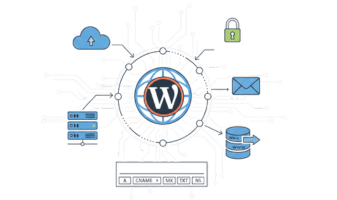
Proper WordPress DNS setup depends on DNS record types. The most important is the A record, which points your domain directly to your server’s IP address. Without it, your site cannot load. CNAME records are useful for subdomains, like mapping www.yourdomain.com to your main domain. MX and TXT records are critical for email services and domain verification. Knowing the records for WordPress ensures your site functions reliably and avoids downtime or email delivery issues.
Understanding domains and DNS records helps you organize your DNS zone, making it easier to maintain your site and manage DNS records correctly.
Setting Up WordPress DNS for the First Time
Launching a new WordPress site requires careful DNS configuration. Begin by gathering server information from your web host. In your domain management panel, add the required records for your website. The A record should correctly point the domain to your server, CNAME records should handle subdomains, and MX/TXT records should support email functionality.
Once saved, the updates are sent to the DNS server, initiating DNS propagation. During this time, changes to your WordPress DNS gradually happen at the DNS level, and it may take some time before all users see the updated site. Understanding that DNS changes can take time helps beginners set realistic expectations.
Managing and Updating Your Site’s DNS
Even after your WordPress site is live, maintaining site’s DNS is critical. Updating DNS may be necessary when switching hosting providers, adding subdomains, or adjusting email settings. Always verify the current DNS before making any changes to avoid errors such as downtime or failed email delivery.
Editing DNS requires precision. Each record to point must reflect the correct server information. Mistakes can prevent your WordPress site from loading. Using your hosting dashboard or DNS provider tools allows you to handle DNS and manage your DNS without advanced technical skills. By understanding how DNS translates domain names into IP addresses, you can troubleshoot and optimize your site’s DNS settings effectively.
Understanding DNS Propagation
Every time DNS settings are updated, the changes do not take effect globally immediately. DNS propagation is the process where DNS updates spread across servers worldwide. During this period, some users may see the updated site while others still reach the previous version. Using Google’s public DNS servers and flushing or clearing the DNS on your computer ensures you see the most current configuration. Proper understanding of propagation allows you to know when your new DNS has fully applied.
Advanced DNS Configuration for WordPress
Complex WordPress setups may require advanced DNS management. Subdomains, third-party services, or IPv6 addresses need additional DNS record types. Maintaining organized domains and DNS records prevents conflicts and ensures your domain points correctly to all services. Beginners can gradually explore advanced configurations while always verifying that site’s DNS records are managed correctly and align with your hosting requirements.
Common WordPress DNS Problems
Even well-configured sites can encounter DNS issues. Errors like “DNS server isn’t responding” often occur due to incorrect records, cached outdated DNS, or downtime at the DNS provider. If a domain does not reach your WordPress site, check that the record to point the domain is correct. Email problems often stem from incorrect MX or TXT records. Understanding where issues happen at the DNS level allows faster troubleshooting and ensures your WordPress site remains accessible.
Even small DNS misconfigurations or outdated records can lead to slow site loading, email delivery failures, or inaccessible pages. Complex sites with multiple subdomains and integrations are especially vulnerable to DNS or server-related errors. Businesses running content-heavy WordPress websites often need professional DNS and WordPress maintenance services to ensure their site remains fully functional, secure, and optimized for performance.
Best Practices for WordPress DNS Management
A well-maintained DNS setup ensures your WordPress site remains reliable. Beginners should regularly verify site’s DNS settings, remove outdated or duplicate records, and monitor changes. Knowing how to manage the DNS, update the DNS, and properly configure your WordPress DNS settings is essential for site performance. Following trusted WordPress DNS guides helps beginners safely handle DNS, manage DNS records, and keep their WordPress sites fast and secure.
Conclusion
DNS is the backbone of your WordPress website, translating domain names into IP addresses and ensuring visitors reach the right server. By learning to configure your WordPress, manage your DNS, update the DNS, and verify site’s DNS settings, beginners can maintain a fast, secure, and fully accessible WordPress website.
Following this ultimate guide to WordPress DNS configuration for beginners ensures that changes to your WordPress DNS happen correctly at the DNS level, and that your new DNS setup points the domain properly. With careful DNS management, your WordPress site will remain reliable, email will function smoothly, and visitors will always reach your site without issues.
Need Expert Help with WordPress DNS and Site Maintenance?
Managing WordPress DNS can be tricky, especially for content-heavy sites or businesses relying on smooth performance and email functionality. Even small misconfigurations can cause downtime, slow loading, or email delivery failures.
If you want to ensure your WordPress website stays fast, secure, and fully accessible without worrying about DNS issues, our team of professionals can help. From initial DNS setup to advanced configurations, regular monitoring, and troubleshooting, we provide comprehensive WordPress maintenance services tailored to your business needs.
Contact us today to get expert support and keep your WordPress site running flawlessly.